 UFO
UFOThe editor
Record a sighting.
Everything below is live. Nothing you do here is uploaded anywhere — the recording exists in your browser until you press Save, which hands you a JSON file that is yours.
Opening it on an existing recording or case: add ?file= and a URL (?sighting=, its former name, still works), or
the name of one of the demos (a name that is none of them is looked for as an
rr0.org case, by its sighting.json) — for instance
/edit/?file=Socorro,
which replays at /play/?file=Socorro.
A case, and its observations
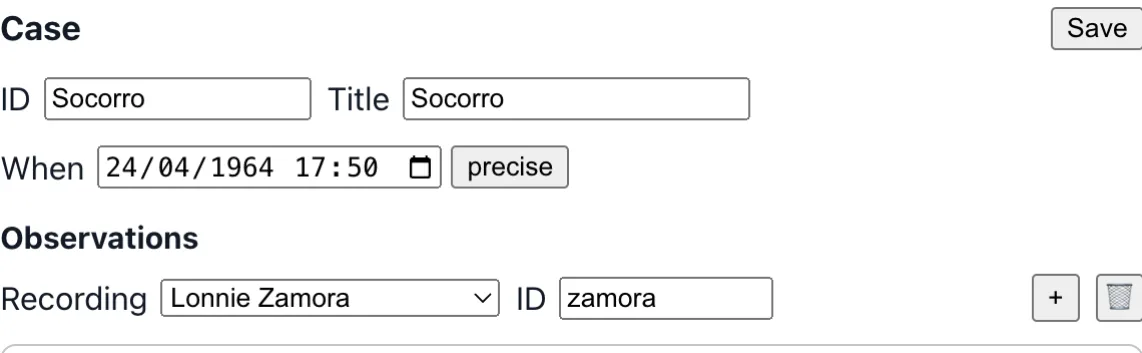
The address may be a case's case.json. The editor then shows the case on top and, inside the same container, the observation being edited in a container of its own. &track= names the recording it opens on.
- The case has an ID, a title and a date — the same picker, qualifier and EDTF text as an observation's start — and Save in the File tab.
- Two tabs, as a recording's editor has: Events and File. The File tab shows
case.jsonas text, which can be edited (what reads as a case is the case at once, what does not yet is said and leaves the case as it was), loaded from a JSON file or an address in place of the case open (asked first when changes were not saved), and saved. Its keys are completed from the case's own description,case.schema.json, generated from the type like the recording's. - Events: a picker lists what the case holds: the observers' accounts (“Observation of Q. B.”) and the readings of them, each a recording of its own, and the interviews (“Interview of Q. B.”). Choosing one opens it below, and what was changed in the others is kept. An account or a reading opens in the editor of a recording; an interview, which is not a recording, opens in an
<rr0-interview>: its title, the witnesses it was held with (checked among the case's observers, at least one, possibly several), when, through what medium (face to face, phone, video call, chat, email, letter), who held it (one or several interviewers) and its description. It has three groups, as a recording's editor has: the Summary, which holds those; the Exchanges, which reads the interview as a dialogue (who said what; the time of each turn is its tooltip; a passage taken out of the published file is blacked out, with its reason as a tooltip; a passage that tells of a moment of the observation has a link that shows the observation at that moment, and the observation lists such passages under it, each a link back); and the File, which holds the interview's transcript with the address of its file, as text to edit, to load from a file or an address and to save. The file holds everything the summary shows, and the two are kept the same, whichever is edited. - An account has an ID in the case, which is what a reading names it by: proposed from the observer's family name (
trent, thentrent-2if it is taken) and shown greyed until it is kept, or typed. It is made of letters, digits, hyphens and underscores, and no other event of the case may have it. Changing it changes it in every reading that named it, and it cannot be emptied while one does. A reading that names an ID nothing has is reported above the recordings. - + (its tooltip: Add an event) asks the Type of the event. An Observation is a recording: blank, from a file or from an address. An Interview is described right there: whom it was held with (one of the case's observers), a title and who held it; its transcript address is filled in afterwards. For an observation, name an account in the last field, Interpretation of, and what is added is a reading of it — another observation, which the case lists marked
interpretationOf, dated and signed. Blank, it starts as a copy of the whole scene of the account it reads. - The bin removes the event on show from the case; the file of a recording is not deleted. An observation a reading still interprets cannot be removed: delete its readings first. A case keeps at least one recording.
- Save asks whether to save the observations too: yes writes a zip of the case and every observation beside it, no writes only
case.json. - A recording opened alone has Add to a case under it. It makes a case around that recording, without touching what is being edited.
- A dot ● after the case's title, and one after the File tab of the observation, say that the case or the observation holds changes not saved. While they do, the editor asks before the page is left or the recording replaced.
This is <rr0-case-editor>, which holds the editor of one recording and hands it one at a time.
Three gestures to a first recording
-
Say when and where#
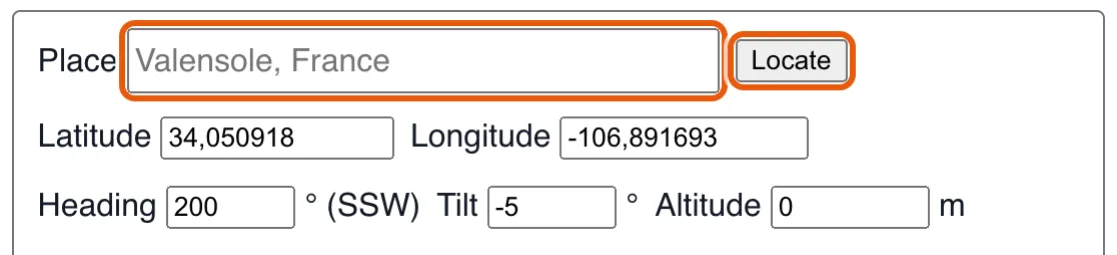
Typing a place name and pressing the locate button fills in the coordinates. Fill Location and Date. That is the moment the sky appears: the Sun, the Moon and its phase, the planets, the stars of that night — and the weather record for that hour is fetched on its own. Doing it first means drawing against the real sky rather than on an empty canvas.
-
Draw it#
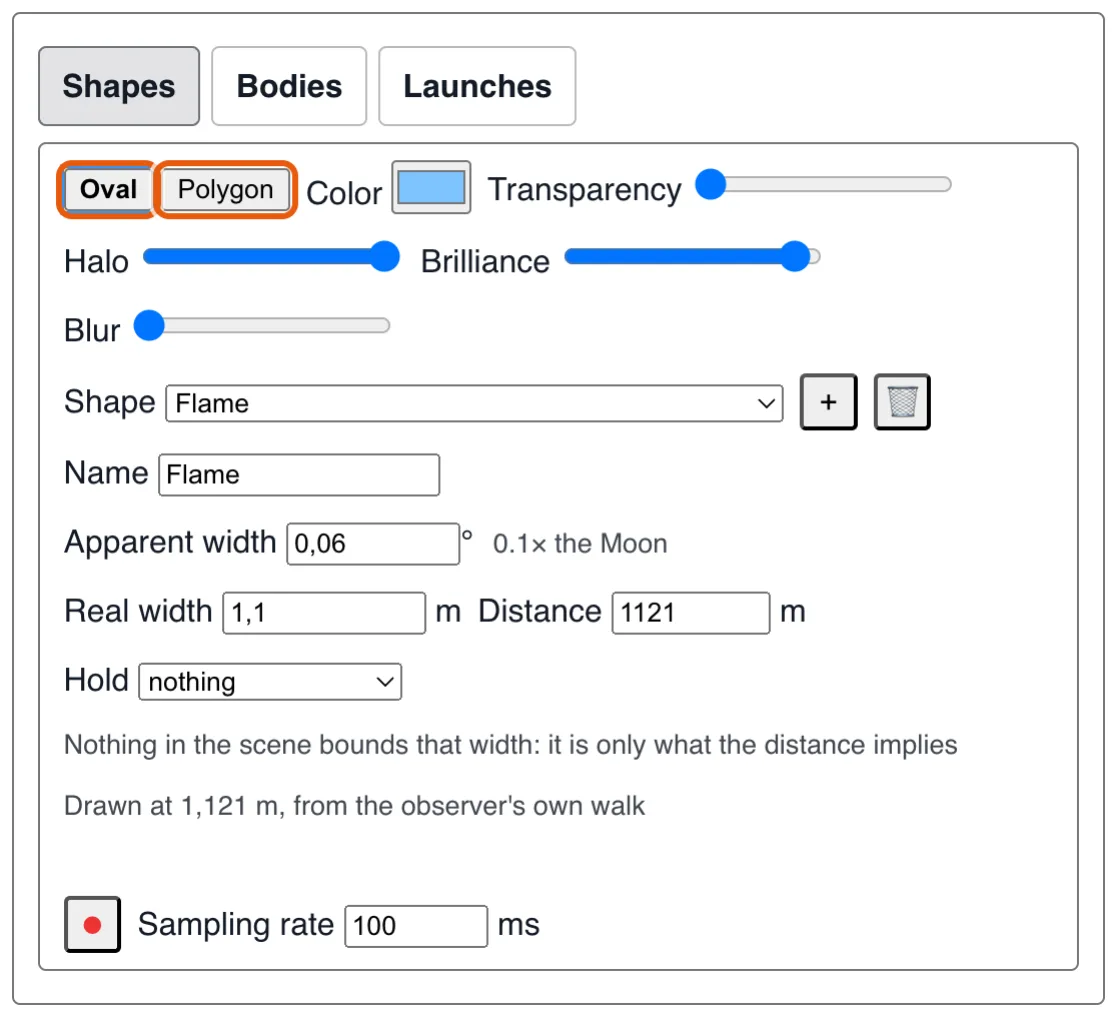
The shape editor: an oval or a polygon, then its colour, halo, size and distance. Open the Phenomenon group. Pick Oval or Polygon, set its colour, its transparency, its halo, how dazzling it was and how blurred its edges looked. Drag its handles on the canvas to size it; a polygon's vertices can be added, moved and deleted individually.
-
Give it a movement#

The playback bar: a tick for each keyframe of what is being edited, an amber one for each named moment. Move the playhead to an instant of the observation and put the shape where it was then: drag it, size it with its handles, or edit its fields. Each of those writes a keyframe at that instant. Do it again at another instant and playback blends from one keyframe to the next: two or three are often enough for a straight line or a slow drift. For a path that no pair of keyframes would draw, press Record instead and move the pointer over the canvas along it, then Stop: playback replays the gesture over the observation's real duration, so a five-minute sighting takes five minutes, not the second the drag took.
Under the playback bar, a tick marks each keyframe of what the open group edits (the selected shapes, the observer, the weather, the sound; all of them from the other groups), and a taller amber one each named moment. A press within a few pixels of one lands on it exactly, the bar names it under the pointer, and ◂◆ / ◆▸ go to the previous or next one — so an existing keyframe is changed rather than a new one made a few milliseconds beside it.
A row of chips under the render lists everything the recording actually asserts — and only that. Click one to jump to the field it came from. A value a data source supplied rather than you is marked as such.
The ten groups#
One panel opens at a time, so the render stays on screen while you edit.
Summary#
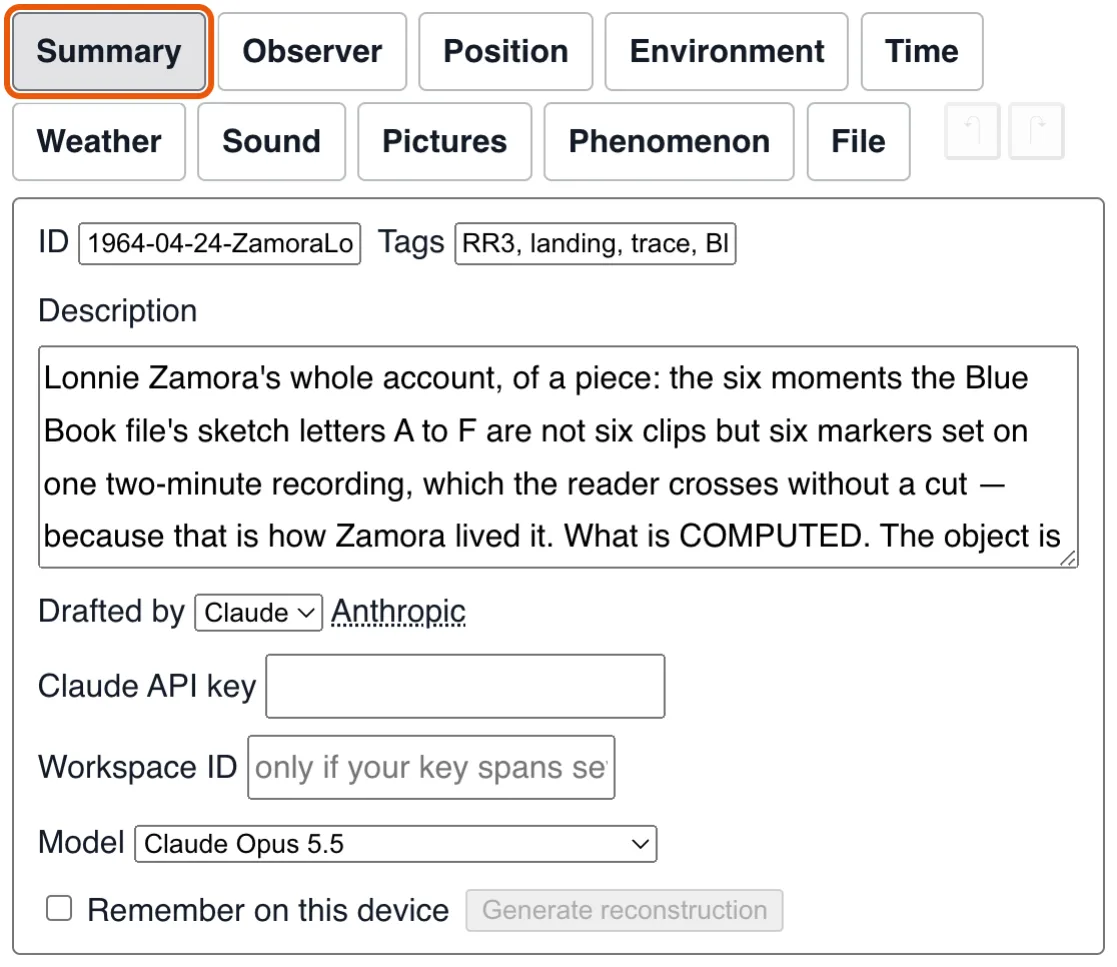
State what this recording is about: an
ID, a description, tags. The ID is this
account's own, the day and then who saw it (1964-04-24-ZamoraLonnie); a recording
does not name its case, it is the case
that names its accounts and gives a page its observer picker.
Witness#
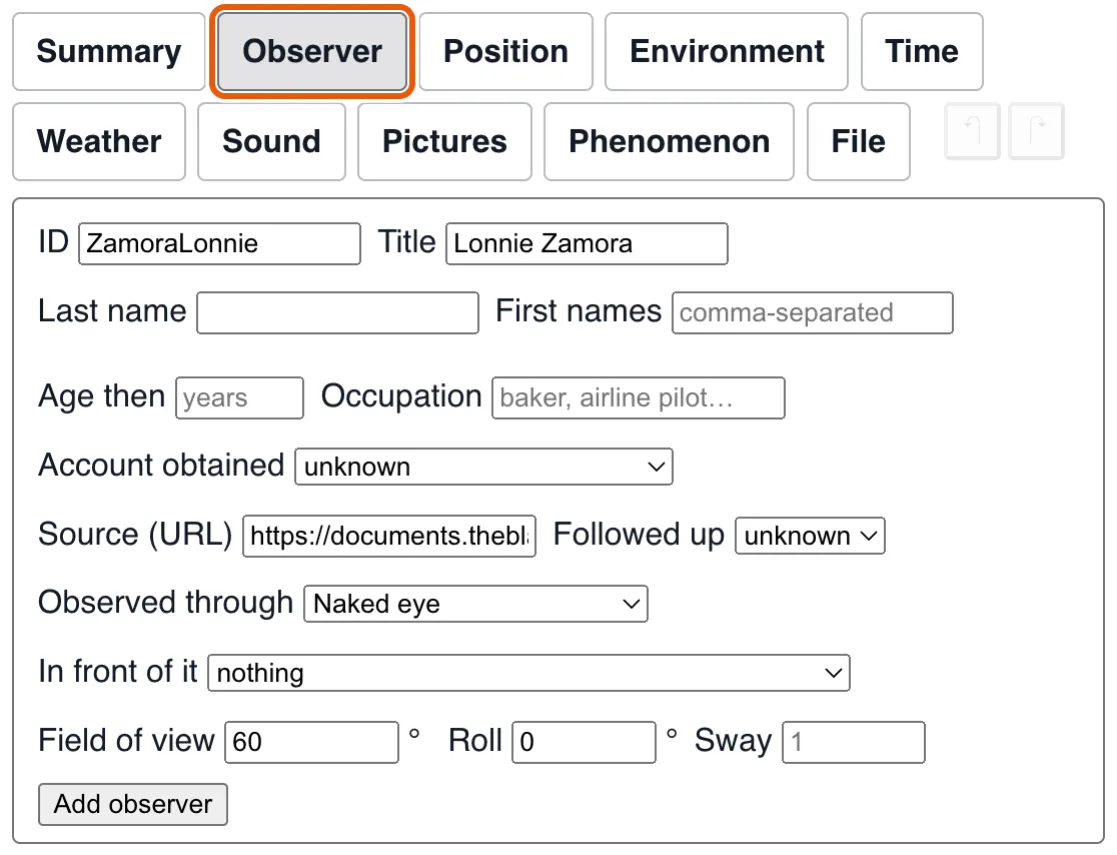
Who gave the account — and, just as importantly, what they observed it
through. An eye is not a lens: naked-eye vision maps an angle to an angle, a camera
maps it to f·tan θ, and the two draw genuinely different frames. Pick a camera
and its focal length, aperture, exposure
and focus distance become available — each disabled where the device fixed
it, because the owner of a fixed-focus snapshot camera had nothing to choose. Instruments
outside the observation's own date are left out of the list, except the one the recording
already names, which is kept and flagged.
A camera's frame is letterboxed inside the element at its own proportions, and its field becomes the default one; the eye, or a camera of unknown make, is drawn 16:9 with a 60° vertical field. Changing the instrument re-projects the shapes: they keep their angles, so they move as well as change size. The exposure stays within what the device allowed (1/1000 to 8 s for an unknown camera, 10 s for a phone); only the 35 mm SLRs have a B setting, up to an hour. A long pose is drawn at once as the viewfinder showed it, then fills in into the photograph as the scene settles.
Roll sits here rather than with the place, because it is how the device was held — a camera askew, a head leaned over — not where the observer stood.
Location#
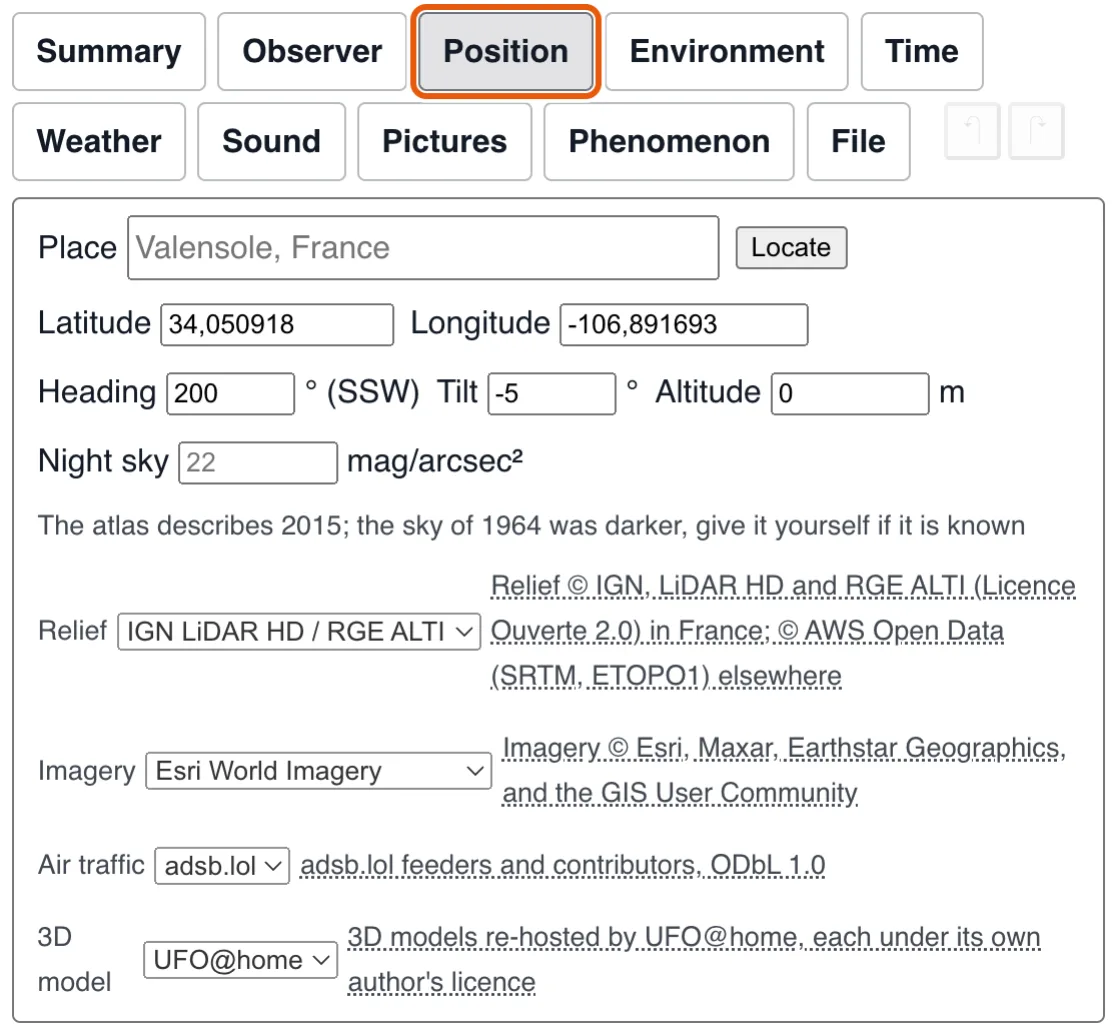
Account names a place, it does not give coordinates. So type the name and press Locate: latitude and longitude are filled from OpenStreetMap's own geocoder, every candidate stays listed, and picking another moves the observer. What is stored is the qualified name that was resolved, so a later reader lands on the same spot. Move a coordinate by hand and a name that came from a search is re-derived, or cleared — a name describing somewhere the sighting is no longer at would be a written false statement. A name you typed yourself is kept as typed and never replaced, even when no lookup finds it.
Heading is the direction faced, Tilt how far up or down, and Altitude is above sea level, floored by the ground's own height at that location: an observer in the Alps is not at 0 m. Relief and imagery sources are chosen right here, under the coordinates whose ground they describe.
Position, heading and tilt are written at the playhead, as a keyframe of the observer's track: set them at another moment and the observer moves or turns between the two.
The map over the render does the same for the position: click bare ground and the observer stands there at the playhead, exactly as if both coordinates had been typed. The wheel zooms around the pointer, a drag moves the ground, and +, − and ⤢ (back to the whole path) are there for whoever has neither.
Date#
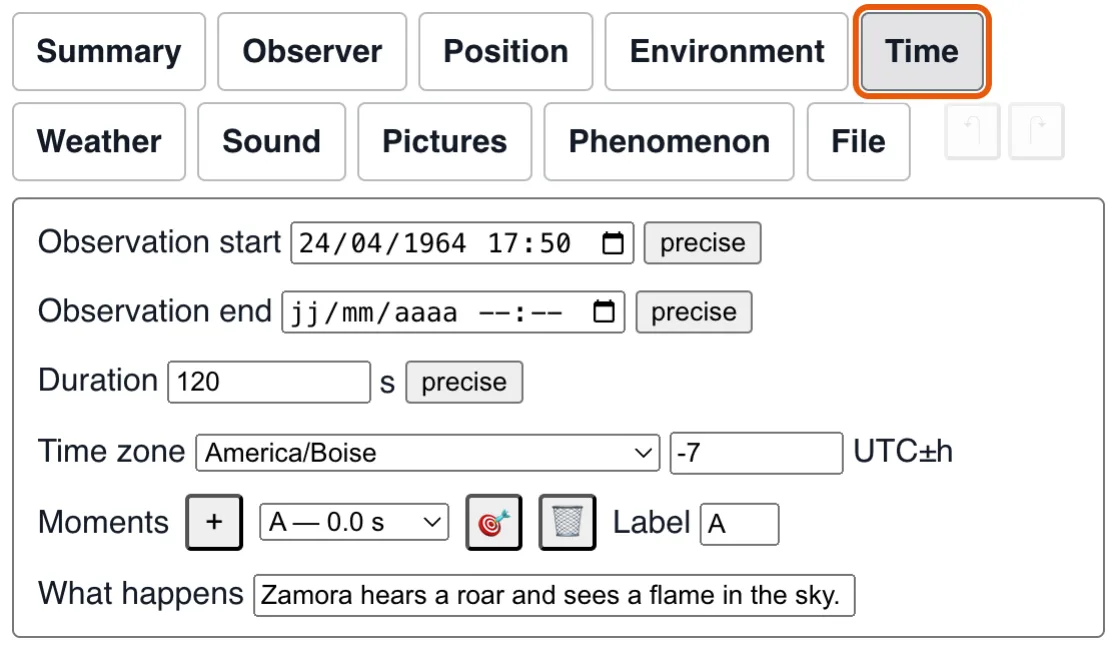
A start, an end, a duration — and a time zone, which is the rule, not the number. Pick the observer's own zone and the offset is derived from that zone's rules at the observation's date: Valensole in July 1965 resolves to UTC+1, not today's UTC+2, because France only reintroduced summer time in 1976.
The zone is filled in from the coordinates, and never replaces one you chose. Zone boundaries are coarse (Montgomery, Alabama falls in America/Chicago, which kept summer time in 1948 when Alabama did not), so the two are one thing said both ways, kept in step: pick a zone and the offset follows; type an offset and a zone that reads it that day is picked (the place's own when it fits). The only other choice is unknown, which has no offset, and a number no zone reads that day is refused. An offset that no clock at that longitude could have kept is flagged, the meridian's solar time in its tooltip. Editing either date drops an explicit duration once the two dates give an exact length of their own.
Each date is either precise — a picker, for an exact full instant — or said in EDTF, a text, for everything a picker cannot say: a bare year, a month, a time with no date, or any date in doubt, which ends with ? (uncertain), ~ (approximate) or % (both). The button beside it says which it is and swaps the two. Hovering the text shows, in its tooltip, what was understood (“→ July 1965 — uncertain”), and a (?) in the field lists the syntax. Most archives need EDTF — of 241 case files on rr0.org, 43% state a bare year and only 17% a date with a time. A case's own date is the same field. Duration is said the same way: precise, a number of seconds, or as it was stated — an ISO 8601 duration with a doubt or a range (PT10M~, PT5M/PT10M) — and, in brackets after it, the one length the simulation is played at.
Moments names the instant at the playhead (A, B, C… as case sketches do), with a sentence of what happens then. Picking one in the list goes there; 🎯 goes back to the one shown, which the list cannot do once playback has moved on past it.
Environment#
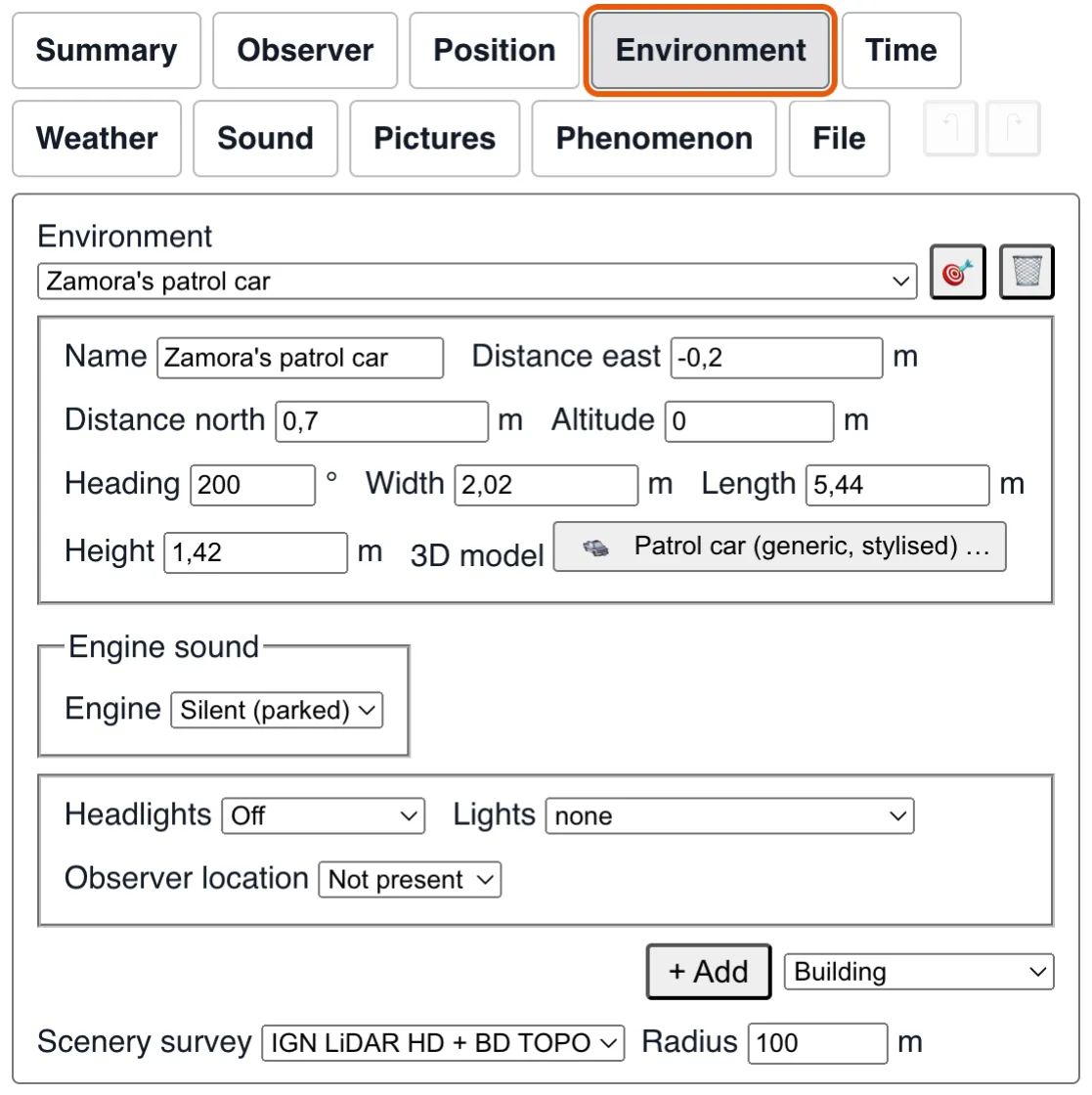
What stood around the observer, at a real distance east and north: buildings with their floors and windows, trees, streetlights, vehicles, aircraft — and other observers. This is the only thing that can put a number on a distance: if the object passed behind that hangar it was at least that far, if in front of that tree, at most. Each crossing narrows the object's real width from one side for the whole recording; the result appears under the apparent size, and reads “unknown” when nothing crosses its line of sight, which is the honest answer for most sightings.
The scenery comes by itself, where a place has been surveyed. When you give the recording a place (by name, by coordinates, or by moving the observer), the editor asks the survey that covers it for what stands within a hundred metres, and puts each tree, building, bridge and span of electric line in the list, at its measured place, height and width: in France, the IGN's LiDAR HD (a scan of the whole country from the air) for the trees and buildings, and its map for the bridges and the overhead lines, with their voltage. Nothing to press. A line under the list says how many were found, and a choice beside it says which survey it comes from: IGN LiDAR HD + BD TOPO (the default, which knows the most), the laser alone, the map alone, or File, which keeps the scenery the recording says and asks no survey any more, even as the observer moves (the choice is the recording's, and links to its item of the Files tab), or None, which leaves the scenery to you and takes away what a survey had brought (Undo puts it back; what you placed stays; your browser remembers the choice: asking sends the place to that service). Choosing another survey asks it at once for the place the recording stands at, and replaces what the first brought. Elsewhere, and wherever no survey covers the place, nothing is asked and nothing is said. What is taken is of the day of the survey, which is not the day of the recording: keep it, move it, resize it or delete it, like anything else. Of each kind it brings nothing where you have placed some of your own (those you placed stay), and it is never added to a recording that is merely loaded. Moving the observer to another place replaces what a survey brought for the first, and nothing else.
The survey also names what it knows the name of. A building takes the name of the zone the map gives it (Mairie de Saint-Lô, a post office, a belfry), the parts of one numbered; a bridge is named for the road it carries (Bridge (Rue de Carentan)), a span of line for its voltage; the others are numbered like anything you add. In France the roads of the scene come from the same map, with their names, rather than from OpenStreetMap, which too often did not answer. Buildings, like trees, stand on the lowest ground under them, as they are built into a slope; and a span of line meets the ground at both its poles.
The radius next to the choice says how far round the observer the survey is asked, from 20 m to 3 km (100 m by default, and the browser remembers it): a wider one brings the farther buildings, bridges and lines from the map. The laser, which gives the trees, is asked within 150 m only. Outside France, where the laser has not flown, the buildings come from OpenStreetMap (anything its volunteers wrote of a building is drawn: height, roof, colours; the rest is an ordinary building), without trees; choose it in the list of surveys to have it anywhere.
The street lamps, traffic lights, pedestrian crossings and road signs come with any survey, from OpenStreetMap; in Paris the lamps come from the city's own inventory (Paris Data), every lamp at its place with the colour and the flux of its light, a sodium lamp's orange as an LED's white. OpenStreetMap is often slow or down: the line under the survey then says the lighting is awaited, and plants it when it comes, without you doing anything (one step of the history), or says it is unavailable for now with a Retry button.
While the scenery is being looked up, a spinner stands over the picture; choosing "None" in the list of surveys stops the wait (what the survey answers afterwards is dropped). What was taken is dated: the status line gives the day of the laser flight, of the aerial photograph and of the map's last edition, and each object keeps the newest day it was drawn from (surveyedOn). Where that day is later than the observation, a warning says so, and goes on saying it if the date of the observation is changed afterwards: the scenery is then a landmark, not what stood there.
A building's roof is read too: from the laser, a roof with two or four slopes (and which way its ridge runs) or a flat one, with the building then as high as its ridge; from the aerial photograph, its colour (tile, slate, zinc), taken without the green of the trees over it. A roof the survey cannot read stays a plain box, not a guess.
The walls are drawn as walls: the colour of the material the map states for them (stone, brick, concrete, breeze block, wood; a pale plaster, a little different from one house to the next, where it states none, which is two buildings in five), with windows on every floor and a door on the ground floor of the front face. They are the typical windows of a facade, not the windows of that house, and some of them are lit once the Sun is well below the horizon: about half in the evening, practically none from three to five in the morning, a few more at dawn, by the hour on the clock (always the same windows, so those lit at three are still lit at nine). The hours follow the French time-use survey (INSEE, Enquête Emploi du temps 2009-2010: half of couples asleep at 22:40 and half up at 7:00, nine in ten asleep from 1:00 to 6:00); the curve between those points, the two in a hundred always up and the half of the windows lit when everybody is up are assumptions. Everything about the walls and the roof (their colour, plain walls, the roof's shape, rise and ridge) can be edited afterwards in the building's properties, like any other decor.
Click an object in the picture to select it: the Environment group opens on it, framed, ready to move, size or turn. Drag the selected object to carry it over the ground; hold Shift to carry it east-west only, Alt north-south only, Ctrl up and down only. Hold Cmd (or two of those keys) with the press and it is the view that turns, as over bare ground — the way to turn it from over a forest, where every press lands on a tree.
Several observers, and their points of view. An observer placed here can carry the URL of their own recording, and right-clicking them in the scene offers to view it — which loads their account and puts you where they stood, looking the way they looked. Two people a hundred metres apart did not see the same thing, and being able to step from one to the other is how that stops being an assertion and becomes something to check. The 🎯 button does the smaller version of the same thing: it turns the current observer to face whatever is selected.
Published together, those recordings become the observer picker a reader gets — see the case that lists them.
Beyond placement and size, an object has the properties its kind has, drawn from what the kind says it lets you set: floors, the floor the observer is on and a window on each side for a building; the windows of a car, whose windscreen and rear window never open; the span, deck and railing of a bridge; the poles and strand of an overhead line. A field left empty states nothing and shows, greyed, the value the scene uses. A model carries its own colours, so the single Colour is offered for the built-in shapes only; a model can instead offer the colour of a part of itself — the costume of a figure, the leaves of a tree — or a switch of one of its parts — an airliner's retracted landing gear — and any other setting of its own, which appear here the same way.
Decor can also move (an aircraft crossing the sky, a car driving past) and carry lights with real, regulated flash rates — anticollision beacons at 40–100 a minute, hazard flashers at 60–120. On a long exposure that rate is drawn: steady lamps leave lines, flashing ones leave dots at regular intervals, which is exactly how a photograph of an airliner is told from a photograph of something that does not blink.
The ready-made sets of lamps offered for an object are those that suit the model it is drawn as, and are scaled to the size of the machine: an airliner is not offered a helicopter's, a patrol car gets its emergency beacons. The model also says what noise an aircraft makes in flight (an A350 is heard as a wide-body, a stand-in for something whose noise nobody reported is silent) and gives a vehicle its engine.
A vehicle's lights are a setting and not a switch, because not everybody puts them on, nor as they should: off, position lights (which show the vehicle and light nothing), dipped beam, main beam (far, narrow, dazzling) or fog lamps (low and wide). Choose it in the object's State group at the instant you want it to change: it is written as a keyframe, as the lamp switch is, and holds until the next. A beam really lights the road, the verges, the trees and the walls in front of the vehicle. The vehicle the observer rides (the recording's vehicle) puts its dipped beam on by itself from the dusk on unless the file says otherwise.
Sky#
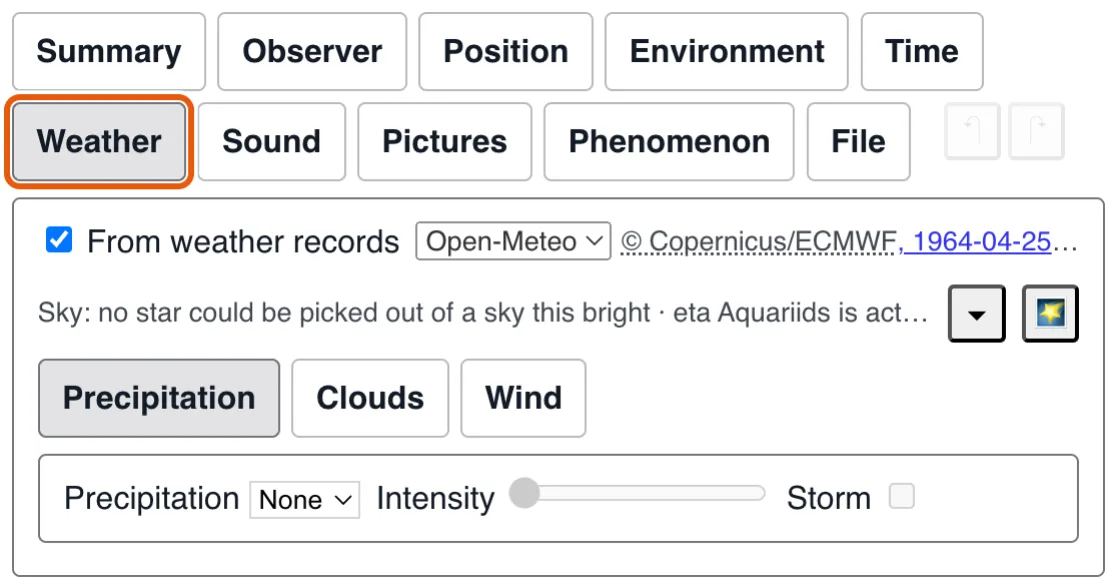
The one group that is not account. Weather is a measurable fact about a place at an instant, and the two groups above already state both — so it is looked up from ERA5, the ECMWF reanalysis, and shown read-only above a line naming the dataset and the exact UTC instant described. A wrong time zone shows up there before it shows up in the sky.
Choosing File rather than Open-Meteo (in Data sources, behind the gear at the top right of the group, Weather, in the Sky group) reads the weather from the recording's own file (inside it, or in a file beside it: see the Files tab) and asks nobody for it any more: the values stay what they were, with the record they came from, and the fields become editable; once changed, the weather is the observer's and the record is no longer named. A recording that names a source is replayed exactly as authored and never looked up again, so a published case file reads identically offline.
A lookup writes a weather keyframe at the start, at each whole hour and at the end of the recording, each at wherever the observer stands at that moment; the track is laid out again when the recording's length changes.
The group has three handles of its own, one part open at a time like the groups themselves: Precipitation — its type and intensity, and the Storm box, which is where a weather code reports a thunderstorm, beside rain and hail, and which turns on the lightning and the thunder at its real delay — Clouds, and Wind, the direction it blows toward and its speed, which is what carries every cloud that has no wind of its own.
The clouds are the Clouds part of this group. A looked-up sky arrives as three of them, the low, middle and high bands of the record; a sky the observer described is as many as they saw. Every number in the panel is written into the recording the moment it is valid, and the first edit pauses playback, so nothing is committed at a moving playhead.
Edit scope decides what an edit is about. Current time writes a weather keyframe at the playhead, or updates the one that is there: this is how a sky changes during the observation — set the deck at the start, seek, set it again. Whole observation applies the one property you change to every keyframe there is, leaving the others as they were, which is what you want for “it was cumulus, not stratus”.
Layer lists them by rank, type and base. Add layer puts a half-covered cumulus deck at 1 500 m for you to reshape; Delete layer removes the one selected. A layer keeps its identity across keyframes, so adding one at 40 seconds fades it in from the previous keyframe rather than popping it.
Then the layer's own fields: Cloud type (cumulus, stratus, stratocumulus, cirrus, unknown — it shapes the tops, and a cirrus is the deck that makes haloes), Base and Thickness in metres above the reference ground, Coverage as the percentage of sky it really covers, Cloud size as the width of one cloud in metres — separate from coverage, so the same percentage can be many small clouds or a few large ones — Density (0 transparent to 2) and Darkness (0 white to 1). Layer wind direction and speed are for a deck that moves differently from the ground wind, which the high one usually does; left empty they mean the general wind. Pattern seed picks another arrangement of the same numbers, when the one drawn puts a cloud where the account says there was none.
Individual clouds is for the one the account places: the one the phenomenon went behind, the one that was there and nowhere else. Add individual cloud puts one in the layer, ahead of where you are looking, at the layer's own base. It is drawn as one of the layer's own — the same texture, the same edges — and differs from its neighbours only in standing exactly where you say, even with the layer's coverage at 0 %. Point at cloud turns the observer to it. Delete cloud removes it.
Tick Select and drag clouds in the sky and the picture itself becomes the control: click a cloud to select it, drag to move it — in the plane facing you, so it keeps its distance while its bearing and its altitude follow the pointer, and it never goes below the ground. Untick it and clicks are the player's again. The numeric fields do the rest, and do it exactly: East and North position in metres from where the observer started, its own base, thickness, width, depth and rotation, its density and a darkness that, left empty, is the layer's. Keyframe it twice and it drifts, grows or darkens between the two; on top of that it rides the layer's wind like every other cloud.
Any cloud edit takes the weather away from the record: the source is dropped and no later lookup may overwrite what you set. Choose Open-Meteo again as the source and the record's three layers come back, replacing yours. The one exception is Crystal alignment, offered on a cirrus layer only: no weather record measures it, so it stays editable with ERA5 selected. Tumbling crystals give a bare ring; level plates and rolling columns give sundogs, arcs and a pillar.
Below sits the “Sky:” line — read-only, and not a lookup at all. A meteor shower is a position in Earth's orbit and a comet's orbit is a solved problem, so the date and the place alone decide both. It states what else was in that patch of sky: the shower and its rate over the sporadic background, the comet and its magnitude, any nova or supernova whose recorded light curve covers that night (the 🌟 button turns the observer towards it), whether low orbit was still sunlit, whether the Milky Way or the zodiacal light could have been seen at all. From February 2021 it also names the satellites that really crossed that sky bright enough to be seen, the brightest with the time of its pass on the observer's clock, and says when some of them were a Starlink train; the 🛰 button moves the playhead to each pass in turn, brightest first, and turns the observer towards it. 🌠 and ☄ do the same for the next meteor and for the comet. Where the instrument reaches deeper than magnitude 9, the line says the stars are drawn only as far as this project's catalogue goes; and a rainbow is mentioned only when rain was reported. Whether any of it explains anything is the reader's conclusion, never the file's claim.
Phenomenon#
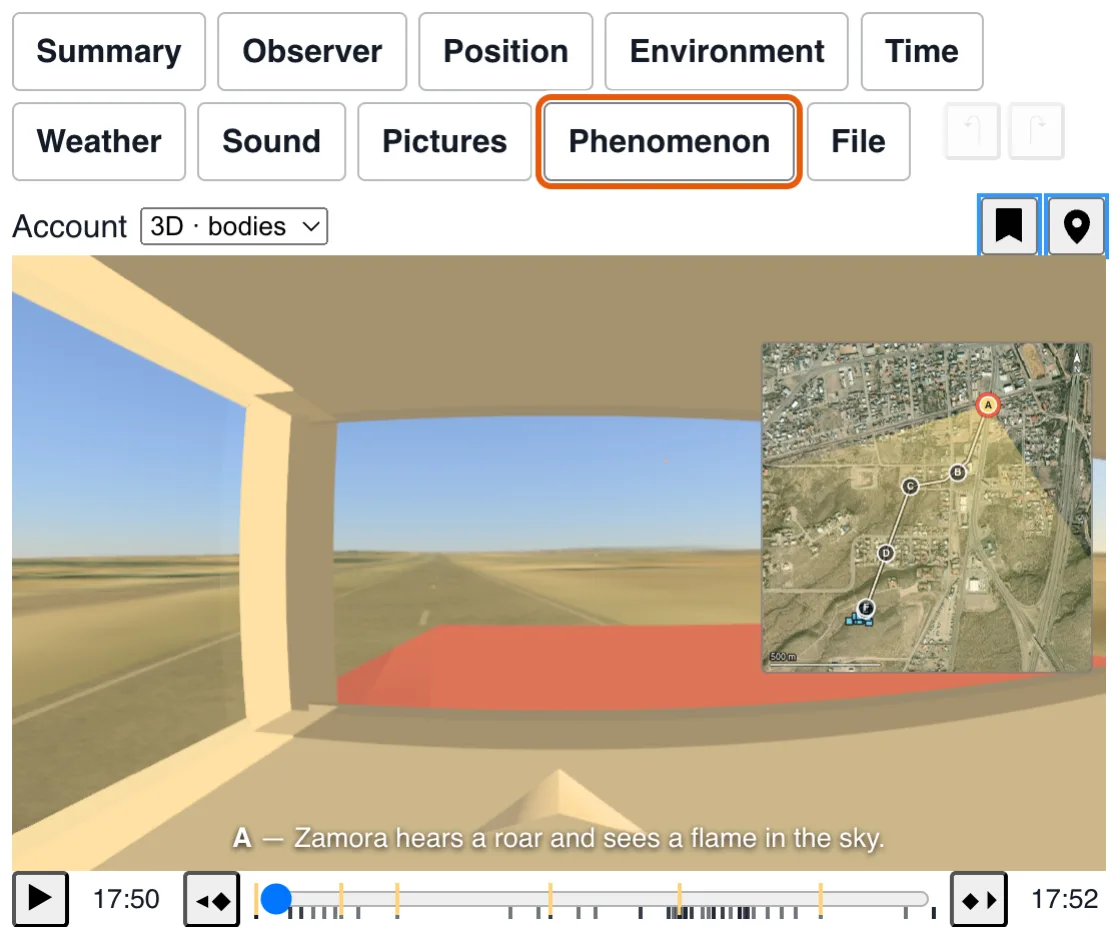
The object itself. Oval or polygon, colour, transparency, halo, brilliance (how dazzling it was — a light you cannot look at washes out the field around it, throws the spikes its aperture makes, and clips to white, which no halo does) and blur (how indistinct its edges looked). Several shapes can share one timeline — a craft, a trailing flame, a second object — each with its own name, and grouped, reordered or deleted from the canvas's own context menu.
Apparent width, real width and distance are three readings of one relation, kept in step: edit any one and one of the other two follows — the one Hold pins never moves. Only the angle is the recording's; the real width is derived, and the distance is where the scene draws the shape, a hypothesis to try rather than a statement. Through an eye at 60° across a 360-pixel canvas, one degree is exactly 6 pixels and the full Moon about 3 — so an object 3.5 m wide at 90 m is 13 pixels across, not the 90 an author reaches for unaided. Getting this wrong is the single most common way a reconstruction ends up false.
That distance is never saved with the recording, and Withdraw the distance hypothesis takes it back. A shape drawn inside a larger visible one stands at that one's distance, just in front of it, so a light on a craft stays on the craft.
Sampling rate is how often the pointer is read while recording.
The selector above the render, Account, says how the account is drawn and edited: 2D · shapes, the angles the observer drew, or 3D · bodies, what they said those were. Choosing one opens the matching part of this group, and opening a part sets the selector; a reading of an account has no shapes, and no selector. Those are the group's Shapes: what the observer drew. Its
Bodies are what the observer said those shapes were, in 3D: each body names
the shapes it stands for and the model it is drawn as, a built-in shape, a model of the
catalogue, or a glTF file at an address. The address can be relative to the recording's own
file, so a sighting.json and the craft.gltf beside it work together
from any page; its credit (name and licence) is required before it is drawn.
Interpretation title, at the top of this part, names what the recording claims — “Craft on its legs”, “April 2013: a model on a thread” — and is always offered: typing one creates the interpretation before any body does. + adds a body (and the interpretation, when the recording has none): it
stands for the selected shape, in its direction, at the distance the scene draws it and as
big as its apparent width makes it there, in a single keyframe at the playhead; on the ground
at that distance when the line of sight goes into it first; with no shape, where the observer
is looking. 🎯 turns the observer towards the body. A recording may hold only bodies: its
last shape can be deleted. At the playhead, the body's position (from the
observer, or in the world), size and attitude are shown as they are at that instant; editing
one writes a keyframe there, which is how a body is given its movement: move the playhead,
edit again. Such a keyframe states nothing else, so the body's light, flame and moving parts
go on as before. With this part open, a body can also be taken on the picture itself: dragging
it moves it by as much as the pointer turns (over the relief when it stands on the ground,
at the same distance when it flies), and the wheel over it takes it nearer or further. The
body on show is framed with handles: a corner sizes it as a whole, a side stretches it level,
the top or bottom raises it, and the stem above turns it as the pointer goes left or right, and with Shift held pitches it
as the pointer goes up or down and rolls it as it goes sideways.
All of these write the same keyframe as the fields, which show where it went. A body's
movement is stated in the file, and shown here. The picture draws the bodies, with the shapes
beside them as outlines to read them against, whichever group is open, except in the Shapes
part, where the shapes are drawn alone and in full.
What happened in the sky while the recording runs, as facts (a laser shot, a rocket launch), is not part of the Phenomenon group but of Sky, beside the state the sky was in (precipitation, clouds, wind): it is neither the interpretation, which reads the account, nor decor, which outlasts the observation. Its Beams tab lists the beams of light (a laser, a searchlight): the points of each one's path (where it leaves the emitter, any mirror, where it ends), its wavelength, power, divergence and when it is on; how bright it shows is what the air scatters of it, computed. Its Launches tab lists the rocket launches, their path, engine and plume. An empty field shows, greyed, the value in use. These are drawn whatever group is open.
Point at anything and it names itself#
Hovering the scene names what is under the pointer. A star gives its name, its magnitude and how high it stood — “Venus, mag −4, 8° above the horizon” answers a report of a bright light near the horizon on its own, where a bare name would not. The Sun, the Moon, the planets and any comet up that night answer the same way, and so does everything in the environment: a building, a tree, another observer. With Alt held, an object of the environment also says its size and how far it stands from the eye (“Tree 19 — 2 × 2 × 11.8 m, 540 m away”): the measure is taken only then.
What the ground hides does not answer. A star behind a hill is as unseeable as one below the horizon, so neither is offered — a reconstruction is not a list of what is in the sky, it is what could have been seen from where the observer stood.
Rules worth knowing#
- A keyframe is held, not faded. A shape left out of a later keyframe stays as it was; one whose first keyframe is at five seconds is already painted, in that state, from zero. To make something stop being visible, keyframe it at transparency 1.
- Declared outranks deduced. “It went into a cloud” is stated by the observer, never worked out by geometry — this format describes an appearance on a field of view, not a position in space, so nothing in it can know whether cloud came between them.
- Paused is paused. Falling rain, twinkling stars, lightning, lens flare, ambient sound — all stop with the player. A paused replay is one instant of a sighting; weather still going on over it would be your own room, not the observer's evening.
- Out of sight, nothing runs. A scene scrolled past, or in a panel that is closed, draws and computes nothing, and a replay that was playing is paused. It is drawn again when it comes back, and the play button starts the replay again.
- Nothing is invented. Where a record does not exist — before 1940 for the weather, before 1957 for satellites, orbital elements before 2021 — the field stays editable and the interface says which of the two it is.
- The text and the picture follow each other. While the File group is open, putting the caret in a decor object or a shape of the text selects it on the picture, and selecting one on the picture selects its lines in the text (the group stays open: the text has the priority over the panel of what you click). The lines changed since the recording was loaded, or last saved or exported, have a blue bar in the margin and a light tint. F7 goes to the next changed zone, Shift+F7 to the previous one. What you edit, or undo, on the form or the picture is shown the same way in the text, whether it has the focus or not. Ctrl+F (Cmd+F) searches the text, and replaces.
- Everything can be taken back. The two arrows at the end of the tabs, or Ctrl+Z and Ctrl+Shift+Z, step back and forward through what you changed, in any group and on the render. The history is that of the File group's text editor, loaded the first time you touch anything, and forgotten when another recording is loaded. Deleting something (a shape, a decor object, a named moment), by its bin or with Delete or Backspace, asks nothing: undo puts it back.
Sound#
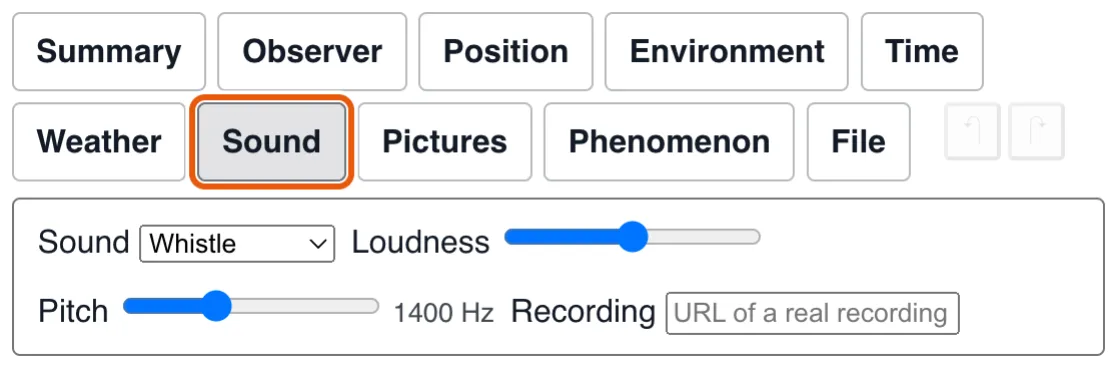
Half of what makes these accounts strange is the sound — most often its absence. A kind (hum, whistle, rumble, crackle, or none), a loudness and a pitch, keyframed on the same clock as the shape: a craft sitting silently on the ground and heard only as it lifts off is two keyframes.
The sound is synthesized from that description, exactly as the shape is drawn from its own, at no cost in bundled audio. A recording that actually captured the sound can point at the audio file instead. Note the difference between the two silences: none means the observer reported hearing nothing; no sound track at all means nobody was asked.
Loudness and pitch glide from one keyframe to the next; the kind and the audio file change at the keyframe. An audio file on another site must be served to any origin (CORS), and a browser plays nothing until the reader has clicked the page once.
Pictures#
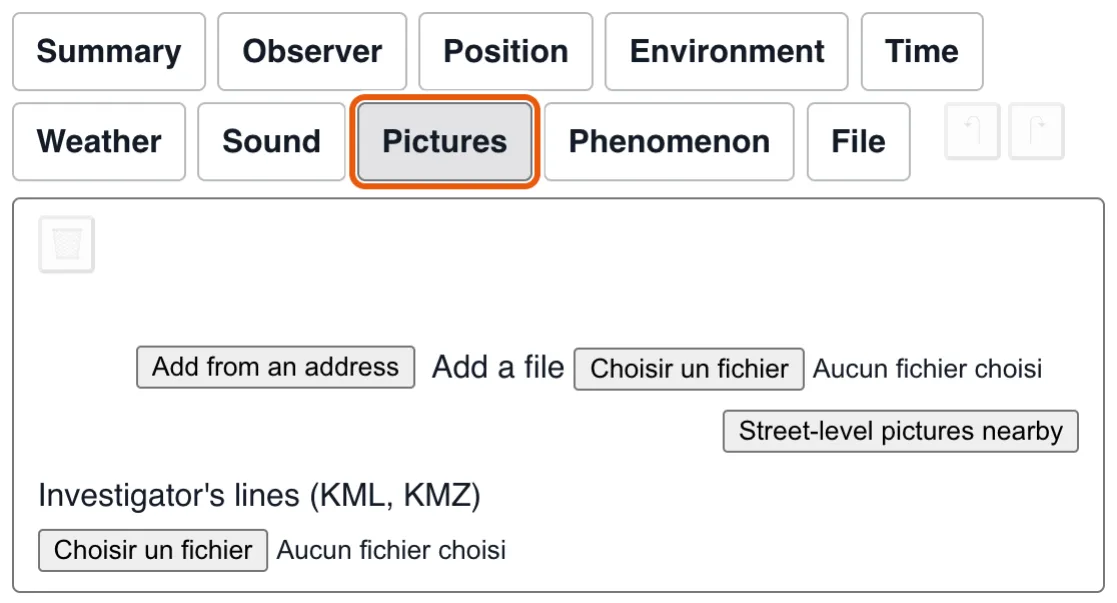
Photographs of the place, laid over the scene so the two can be compared. Add from an address takes a picture served to any origin (rr0.org's case pictures are); Add a file embeds one from your disk in the recording, with a word about its weight. Give it a name, a credit and its link, say whether it was taken at an instant of the observation and whether somebody drew on it, and set its starting opacity — the reader slides it afterwards.
While this group is open the canvas belongs to the selected picture, its frame dashed in blue: drag on it to turn it (a drag outside it still turns the observer), wheel to change its field, or type heading, pitch, roll and vertical field, or use the observer's pose as a start. To measure rather than eyeball, Add a landmark arms two clicks: a detail on the picture, then the same detail in the render. Two landmarks turn the picture to fit them, three or more fit its field too; each has a name and a residual, green within a degree, orange within three, red beyond, and either end of one can be dragged. Adopt as the observer's pose then writes the fitted heading, pitch and roll into the pose at the playhead as a measurement, with its provenance. Street-level pictures nearby asks Panoramax for pictures taken within 300 m of the observer's spot, each arriving already lined up in heading.
Investigator's lines (KML, KMZ) reads a Google Earth file and adds what it
draws: lines of sight, axes, outlines and markers, with their names, colours and heights. They
are drawn over the scene and on the map in their own colour, dashed on the map, as the
investigator's and not the reconstruction's: nothing is fitted to them, and each is credited to
the file it came from until you say better. Rename one, set its source, or
delete it; the player offers a button to hide them all. Names stand beside what they name, in the scene as on the map; the map widens to frame what lies near the observer (a line running off to the horizon is left to run off), and each source is listed in the credits. GPS tracks (gx:Track) are read as lines.
A picture holds from one point only, so lining it up also records where it was lined up from: the observer's position at the playhead. Playing, it fades out as the observer walks away from that point (fully shown within 2 m, gone beyond 20 m) and back in as they return, rather than show a comparison that no longer holds.
Files#
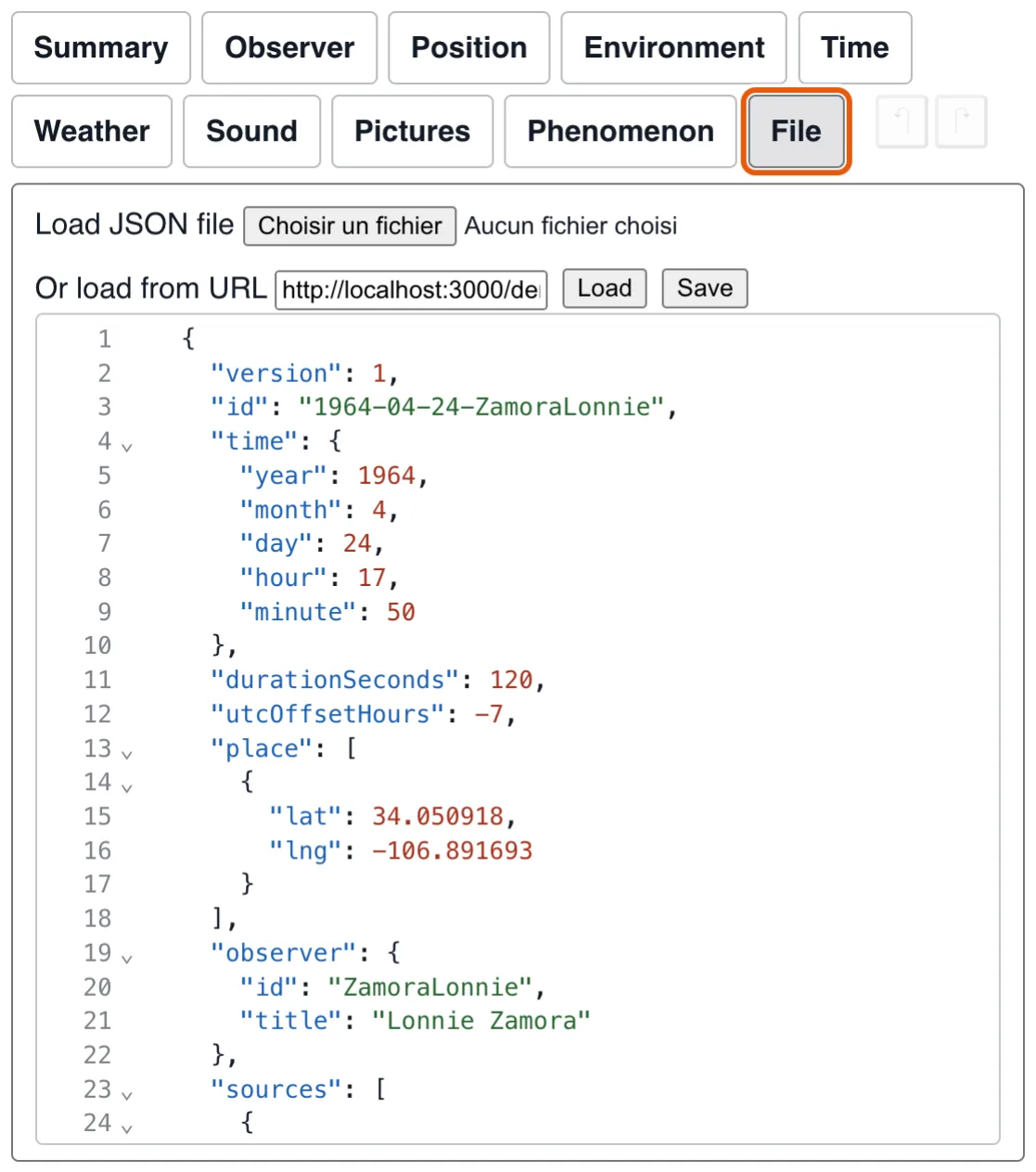
The files the recording is made of, picked one at a time above the tab: the recording itself, and each annex it carries frozen beside it (relief, photograph of the ground, roads, water, railways, air aloft, map photograph; see frozen in the format). The picker names only what each holds; where it is, its file says: its address, which a file of yours or another address replaces. The recording's own address keeps it inside the recording, and the recording's text is then shown under it with its section highlighted; another address where there is no file yet is where Save writes it. An annex says when and from whom it was taken, with Refresh to take it again, Save to have its file, and its text to edit when it is JSON. The weather, the place, the night sky and the scenery are among them too, inside the recording or in a file of their own. Whatever is picked, Save gives its data. Every source the editor or the scene would ask (the place's geocoder, the night sky's atlas, relief, imagery, roads, water, railways, air aloft, weather) is picked between the service asked live and File: in its group (Location, Environment, Weather), one kind of data at a time (Data, then its source),, which reads it from the recording's files and links to its item here; a file not taken yet is taken at the next save.
The recording itself. Load sighting file brings an existing recording in, from your disk or, a click on these words, from an address, and Save hands you the file. A dot after this tab says the recording holds changes not saved; loading another file or address while it does asks first. Under them, the same recording as JSON text, kept in step both ways: what you change in the form or on the render appears in it, and a text that parses becomes the recording as soon as you stop typing (the playhead stays where it was). A text that does not parse is flagged on its own line and changes nothing until it does.
The editor knows the format: Ctrl+Space lists the keys an object can take, with what the model says of each, and the words a key accepts. It is fetched only the first time this group is opened, so it costs nothing to those who never leave the form.
What Save gives you#
Save gives you a JSON file. That file is the whole recording — there is no account, no database, and no copy kept here. Host it wherever you like. What is in it, field by field, is on the sighting file's page.
What to do with it next has its own pages, with examples you can run and copy: sharing an observation, which is a link to send or two lines of HTML in a page of your own, and the components, if you want to choose which one that page loads.